

Welcome to IM777. Find the essential information about the IM777 game, Android app and account setup in one place.
Before getting started, check the app specifications, understand the installation requirements and read the guidance relevant to your account. New and returning users can use this page to find answers without moving between several separate guides.
Listed Android download: 50 MB
Listed app version: 1.1.2v
What Is IM777?
IM777 is an Android gaming app. Its interface brings together game listings, account-access options and promotional information.
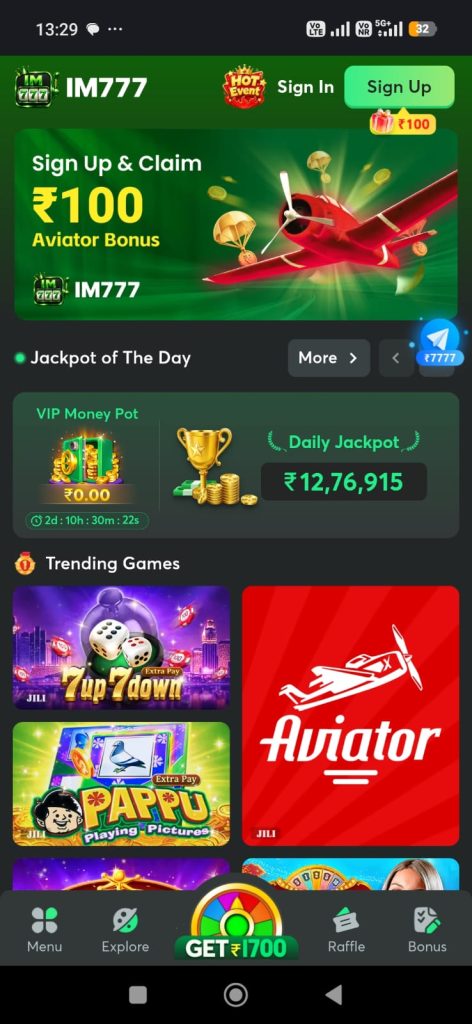
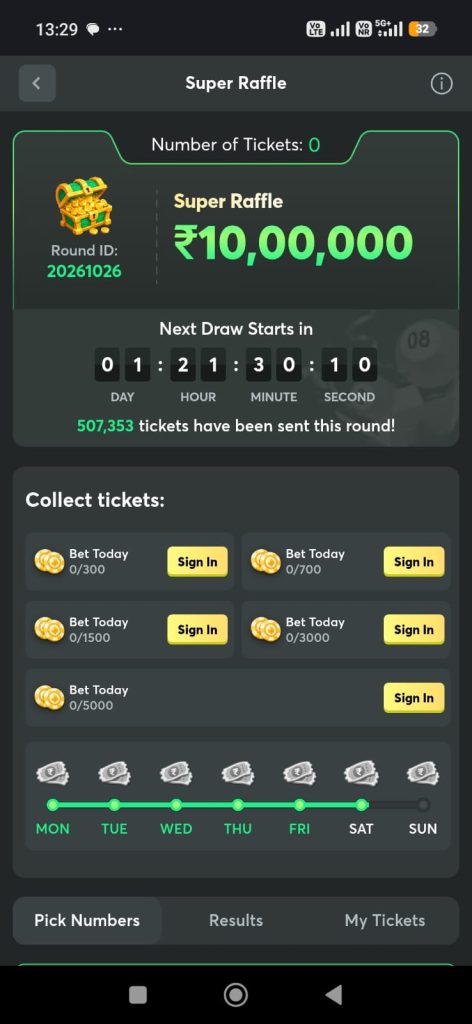
The supplied app screens show titles such as Aviator, 7Up 7Down and Pappu, alongside a separate raffle section. The selection and layout can change, so review the information displayed in your current version rather than assuming every pictured activity remains available.
Our website focuses on explaining the app and answering practical questions for readers in India. To learn more about this website, visit About Us.
IM777 App Details
| Specification | Information |
|---|---|
| App name | IM777 |
| Category | Gaming |
| Platform | Android |
| Download format | APK |
| Listed download size | 50 MB |
| Listed version | 1.1.2v |
| Minimum Android version | Android 7+ |
| Connection | Internet access for online features |
The 50 MB figure describes the listed download file. The installed app, temporary files and updates may occupy additional storage.
Compare the version offered at the app destination with the version already on your phone. A version number on a webpage should not be treated as proof that a release is the newest or suitable for every device.
Understanding the IM777 Game Interface
The app screenshots show several parts of the interface that users may encounter:
Account Access
Sign In and Sign Up appear in the top navigation. These provide separate starting points for existing users and people beginning registration.
Game Listings
Game tiles display individual titles. Read the rules and conditions for the activity you select; one title’s controls or requirements should not be assumed to apply to another.
Promotions and Events
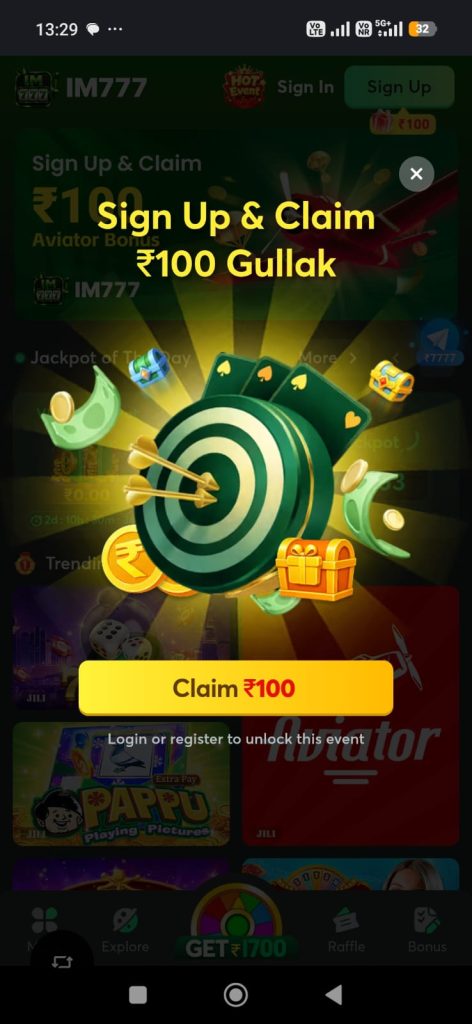
Promotional banners and event sections may display amounts, timers or participation conditions. A screenshot records what was displayed at that moment—it does not establish that an offer is current or available to every account.
Navigation
The supplied screens include navigation labels such as Menu, Explore, Raffle and Bonus. Labels and their locations may differ between versions.
Any activity involving stakes or monetary rewards requires separate legal scrutiny. A visible game tile or accessible app does not establish lawful availability.
IM777 Android Download and Installation
Before opening an installation file, check its source, publisher and compatibility requirements.
Open the IM777 App Destination
Prepare Your Phone
Check your Android version and available storage. Leave additional room beyond the APK’s download size.
Make sure your connection is stable and the file has finished downloading before attempting installation.
Review the File and Prompts
Compare the release details with the information supplied by the verified publisher. Do not rely on the filename or logo alone.
Read the permissions and installation prompts shown by Android. If your device identifies a security concern, investigate it before continuing. Do not disable security protections simply to force an installation.
Open the Installed App
After installation, open IM777 and review the information displayed. Before signing in, make sure you are using the intended app and have access to your account details.
IM777 Registration and Login
For New Users
In the supplied interface, the green Sign Up button appears beside Sign In.
Select the registration option and read the form before entering information. Follow the fields actually displayed; the screenshots do not establish which details or verification methods the current form requires.
If you choose to register:
- Check the service’s eligibility requirements.
- Read its terms and privacy information.
- Enter accurate details.
- Use a unique password where one is required.
- Keep verification codes private.
- Read the confirmation or error message after submitting.
Registration does not guarantee a bonus or establish eligibility for every activity.
For Existing Users
Choose Sign In and enter the credentials requested by the current login form.
If access fails, check typing errors and saved passwords before retrying. Use the recovery process provided by the service rather than creating another account to bypass an error or restriction.
If a temporary lock or waiting period appears, follow the instructions shown.
Checking for IM777 App Updates
Before updating, compare your installed version with the release offered through the verified distribution channel.
Review compatibility requirements and any release notes. An update may change storage needs or require you to sign in again.
Keep your account and recovery details available before replacing an installation. Uninstalling or clearing app storage can remove information held locally on your phone.
Do not assume that installing another version will resolve a service outage, account restriction or connection problem.
Common IM777 App Problems
| Problem | First check |
|---|---|
| Installation does not complete | Download completion, available storage and compatibility |
| App closes after opening | Error message, device requirements and supported release |
| Screen keeps loading | Internet connection and any service notice |
| Login details are rejected | Account identifier, password and recovery options |
| Verification message is delayed | Contact destination and resend instructions |
Record the exact error rather than repeatedly submitting the same request.
When seeking help, include your device model, app version and approximate time of the issue in IST. Never send passwords, OTPs, UPI PINs or card authentication details.
Offers, Payments and Responsible Use
Read the full conditions attached to any advertised offer. Check eligibility, expiry dates, restrictions and whether a displayed balance has limitations.
Do not treat promotional amounts, jackpot figures or previous results as guaranteed income. Never pay someone who claims they can guarantee winnings or recover losses.
Keep gaming from interfering with sleep, work, relationships and essential spending. Take a break if you find yourself spending more time or money than intended.
Our Disclaimer explains the scope and limitations of the information on this website.
Frequently Asked Questions
What is IM777?
IM777 is an Android gaming app. This website brings together game information, app specifications and account-help guidance for readers in India.
What is the IM777 app size?
The supplied download size is 50 MB. Installation, updates and app data require additional space.
Which IM777 version is listed here?
This page lists 1.1.2v using the specifications supplied for the website. Check the publisher’s release information before treating it as the latest version.
Will IM777 work on my Android phone?
Compare your phone with the current release’s Android and hardware requirements. Download size alone does not establish compatibility.
Can I install the IM777 APK on an iPhone?
No. APK files are intended for Android. An iPhone would require a separately supported release.
Where are the registration and login options?
The supplied screenshot shows Sign In and Sign Up in the top navigation. Follow the current interface if the layout changes.
Does signing up guarantee a reward?
No guarantee can be established from a promotional screenshot. Any offer must be checked against its current conditions.
Is access to the app proof that every activity is permitted?
No. Website or app access does not establish legal availability, eligibility or permission to participate in a particular activity.
What should I do if a download triggers a security warning?
Stop and investigate the source and warning. Do not assume a familiar app name makes the file trustworthy.
More About This Website
Learn about our purpose on About Us and read our Disclaimer before relying on app or service information.